Cool Desktop Gadgets
This is a place to find cool desktop gadgets and other windows programs, which is fully developed by me using Microsoft .NET. I am creating these softwares as a hobby.
DISCLAIMER:
You expressly agree that use of these softwares is at your sole risk. The user must assume the entire risk of using this program.
I am not responsible if any of these programs screws up anything because of it usage (both proper or improper)
Friday, June 16, 2006
TakeNotes (Desktop Gadget) - Documentation
TakeNotes is a cool desktop gadget very useful for those who do a lot of reading...
The final version of TakeNotes is ready!!!
Features:
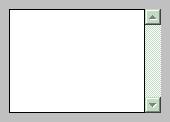
Provides a small box to enter text into it.
As you read something, write down notes side by side into TakeNotes application.
Always stays on top.. so continue your note taking without interruption.
Right click near the border for context menus.
The notification icon also gives the same menu.
Clicking once on notification icon just hides the window.
Clicking again on the notification icon shows it again.
Right Click Menu Items:
"Save" Saves the notes to a text file on the desktop with a auto generated name.
"Save As" Shows up a save file dialog. you choose a file name & location and save it.
"About" Shows the details of its developer!!
"Visit my page" Takes you to my home page.
"Exit" Closes the program.
Note:
You make sure that you save your notes and then exit.
Thursday, June 15, 2006
TakeNotes - Final Version
TakeNotes final version is created by now...
To download please visit this link (My online shared folder):
http://esnips.com/web/freewares
I strongly advise you to use the latest version!!
New features like saving notes to a text file are added.
Download, use it and Enjoy!!
TakeNotes - Future Release
Please note: The takenotes development is in the early stages... but the released version is almost fine... Only thing to worry about, being it doesnt save any of the notes when you close the program.
You have to manually copy and paste every things into a notepad and save it to some file.
In the future release, this functionality would be incorporated.
Wednesday, June 14, 2006
TakeNotes - First Release
DETAILS:
A small windows application to help you to take notes side by side
of any other activity.
You can hide it if you want it. Small file size.
It looks cool too. Totally free.
DOWNLOAD LINK:
To download please visit this link (My online shared folder):
http://esnips.com/web/freewares
SCREENSHOT:
TECHNICAL:
I created it using C# and Dotnet framework v1.1
Your suggestions are welcome...